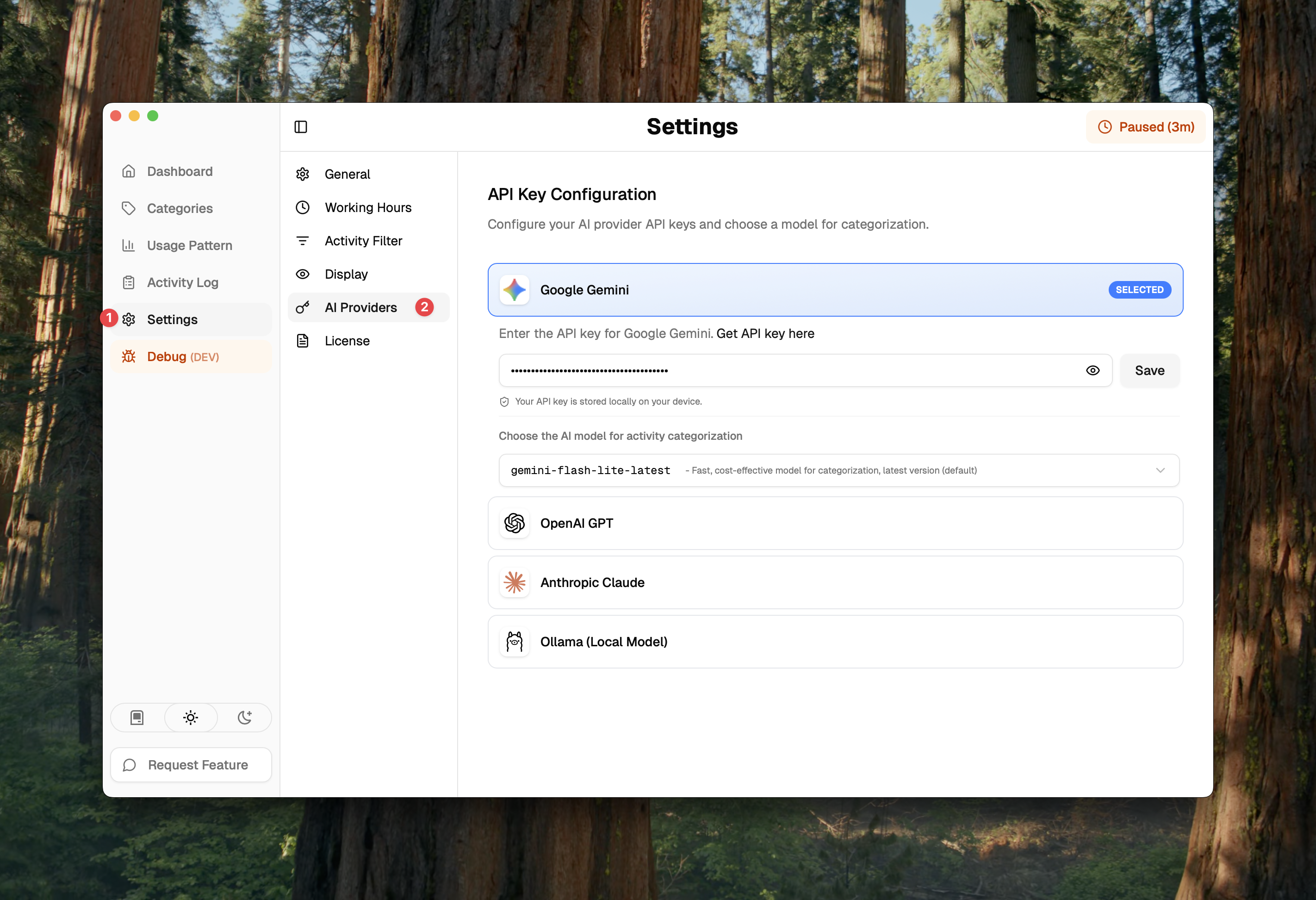
Setup AI Provider
During the onboarding process, you will be prompted to set up your AI provider.
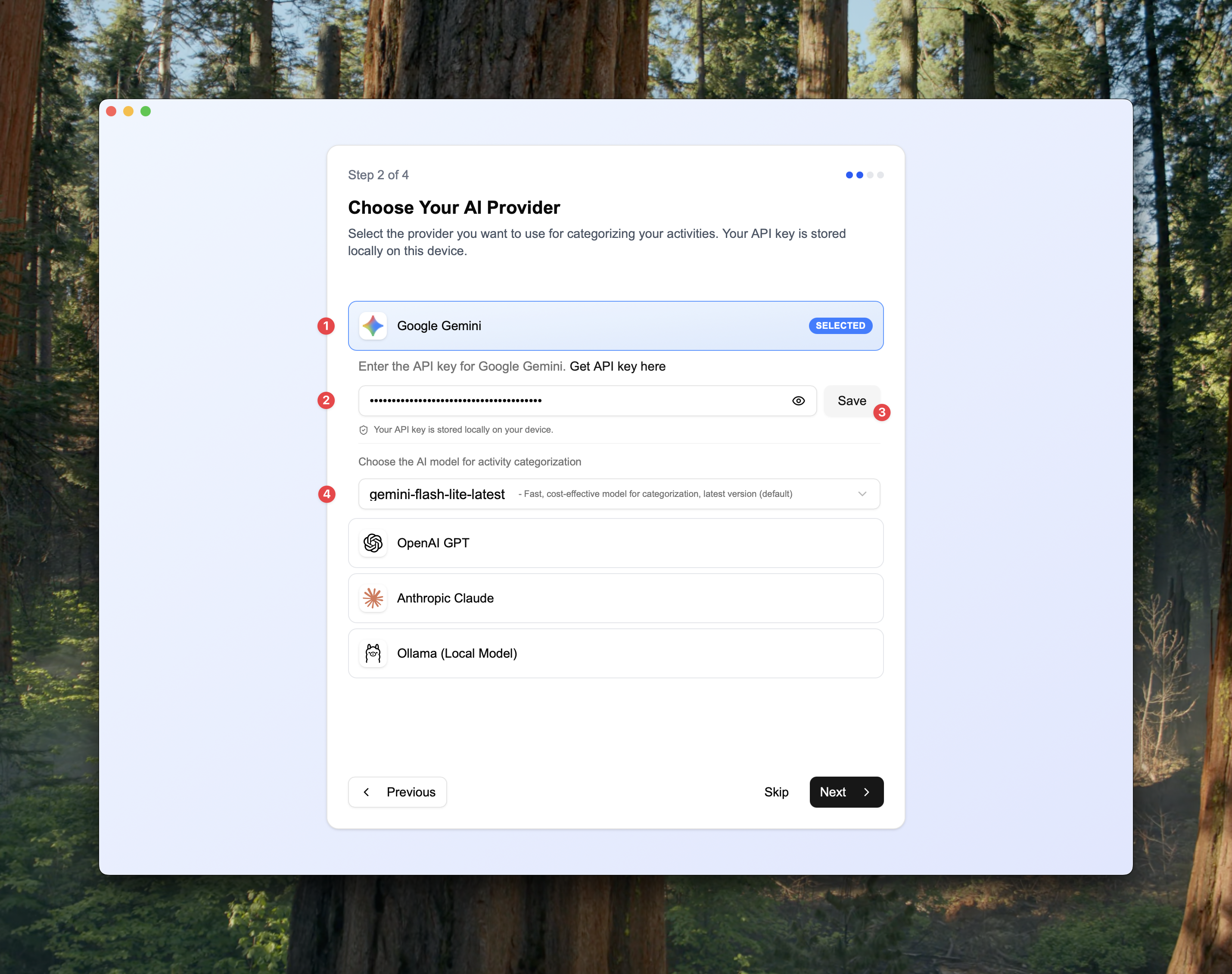
- Select Provider: Choose your preferred AI backend (e.g. Google Gemini).
- Enter API Key: Paste your valid API key into the input field.
- Save: Click the save button to save your settings.
- Select Model: Choose your preferred AI model (e.g., GPT-5.1 Fast, Gemini 2.5 Flash Lite)
Skipped Onboarding?
In case you skipped the AI provider setup during onboarding, you can find this setting in Settings > AI Provider.